> For the complete documentation index, see [llms.txt](https://docs.powermonitor.com.br/llms.txt). Markdown versions of documentation pages are available by appending `.md` to page URLs; this page is available as [Markdown](https://docs.powermonitor.com.br/en/principais-funcionalidades/licencas-power-bi.md).
# Power BI Licenses
Power BI license governance: idle paid licenses, licenses at the wrong tier, assignment risks and the estimated savings at your contract prices, including with Power Embedded.
A Power BI license is a recurring cost, per person, every month. And almost every company pays for licenses nobody uses: the employee who left and still has Pro, the analyst who got Premium Per User for a project that ended, the manager who only reads reports in a capacity where the free license would be enough.
The Microsoft 365 admin center tells you **who has** a license. Power Monitor cross-references that with **real** Power BI **usage** and tells you **who needs** one, and how much you save by adjusting.
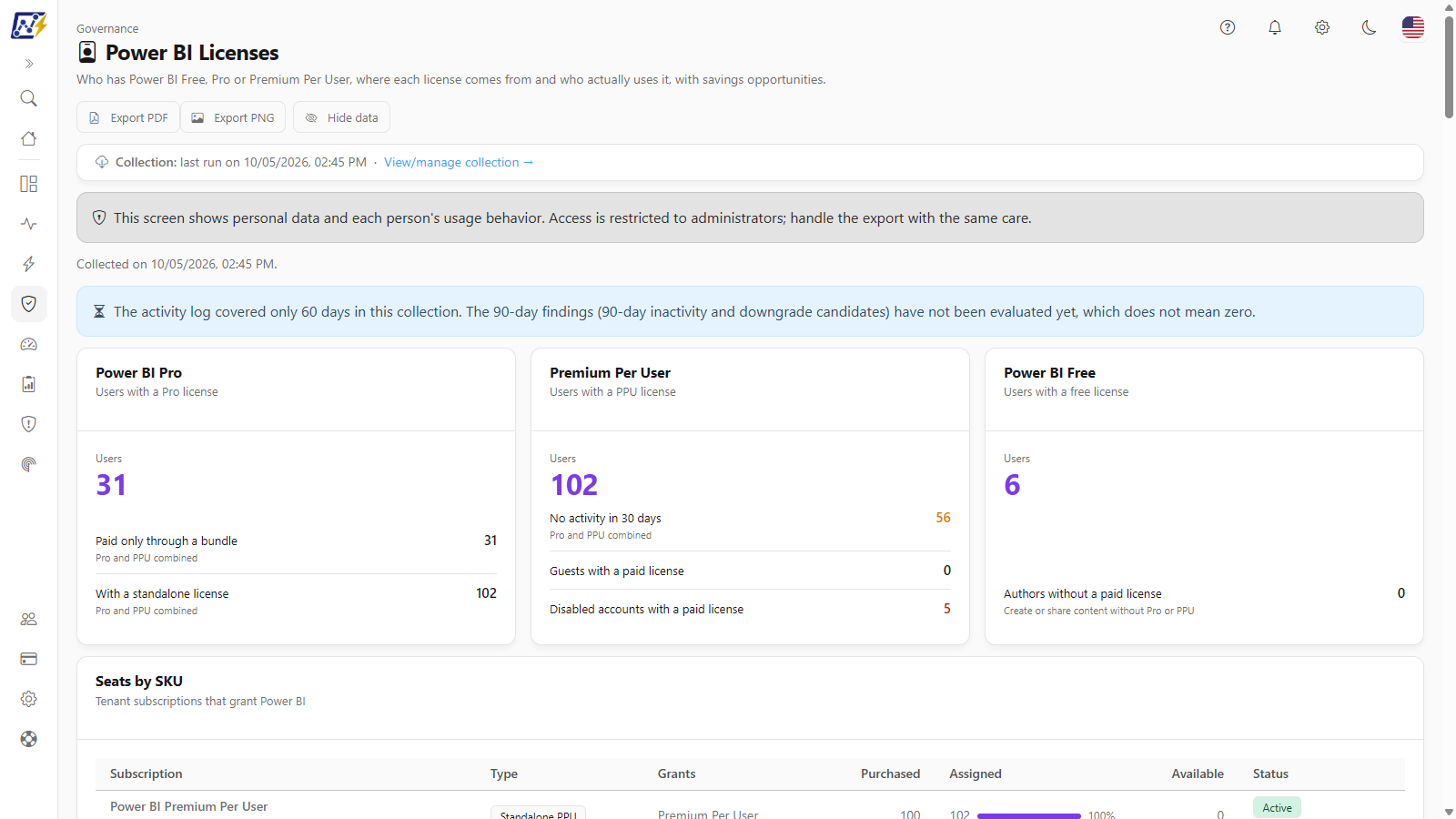
Power BI Licenses: indicators, findings and savings opportunities
## What it finds
* **Waste:** paid licenses on disabled accounts and on people with no activity for 30 or 90 days, standalone Pro for people who already get Pro through a bundle and purchased seats nobody uses.
* **Wrong tier:** people with Pro who only read content in a capacity (where a Free license is enough), people with PPU who don't use PPU workspaces and people with full PPU when the **PPU Add-On** would do.
* **Assignment risks:** assignment errors in Entra ID, guests with a paid license, authors publishing without a paid license and free trials about to expire.
## How much you save
Enter your contract prices and Power Monitor calculates the **monthly and annual savings** of each opportunity. **License optimization** lists, person by person, who has been inactive in the chosen period and how much each idle license costs, ready to export and validate with managers.
And if your company has many viewers, the **Power Embedded estimate** shows how much it would cost to move them to embedded reports instead of paying for one license per person.
## Track the trend
See, day by day, how many Pro, PPU and Free users there are, how many seats were purchased and assigned and how licenses are distributed across departments. After a cleanup, the effect shows up on the chart.
## Why it matters
* **Direct, recurring savings:** every idle license you remove is money back every month.
* **A case for leadership:** numbers based on your contract prices, not generic estimates.
* **Less risk:** guests with paid licenses and disabled accounts with access no longer go unnoticed.
## Related pages
* [Power BI Licenses](/en/power-monitor/governanca/tenant/licencas-power-bi.md): every screen and filter, plus a step-by-step license cleanup
* [Cost and Dashboards](/en/principais-funcionalidades/custo-e-dashboards.md)
---
# Agent Instructions
This documentation is published with GitBook. GitBook is the documentation platform designed so that both humans and AI agents can read, navigate, and reason over technical content effectively. Learn more at gitbook.com.
## Querying This Documentation
If you need additional information that is not directly available in this page, you can query the documentation by asking a question.
Perform an HTTP GET request on the following URL with the `ask` and `goal` query parameters:
```
GET https://docs.powermonitor.com.br/en/principais-funcionalidades/licencas-power-bi.md?ask=&goal=
```
`ask` is the immediate question: it should be specific, self-contained, and written in natural language.
`goal` is what the user is ultimately trying to achieve, the reason they need the answer. Sharing it helps GitBook give you a better, more relevant answer. A goal is most helpful when it describes the outcome the user wants rather than restating the question. For example, with `ask=how do I create an API token`, a goal like `automate deployments from our CI pipeline` lets GitBook tailor the answer to that use case.
The response will contain a direct answer to the question and relevant excerpts and sources from the documentation.
Use this mechanism when the answer is not explicitly present in the current page, you need clarification or additional context, or you want to retrieve related documentation sections.