

A Power BI license is a recurring cost, per person, every month. And almost every company pays for licenses nobody uses: the employee who left and still has Pro, the analyst who got Premium Per User for a project that ended, the manager who only reads reports in a capacity where the free license would be enough.
The Microsoft 365 admin center tells you who has a license. Power Monitor cross-references that with real Power BI usage and tells you who needs one, and how much you save by adjusting.
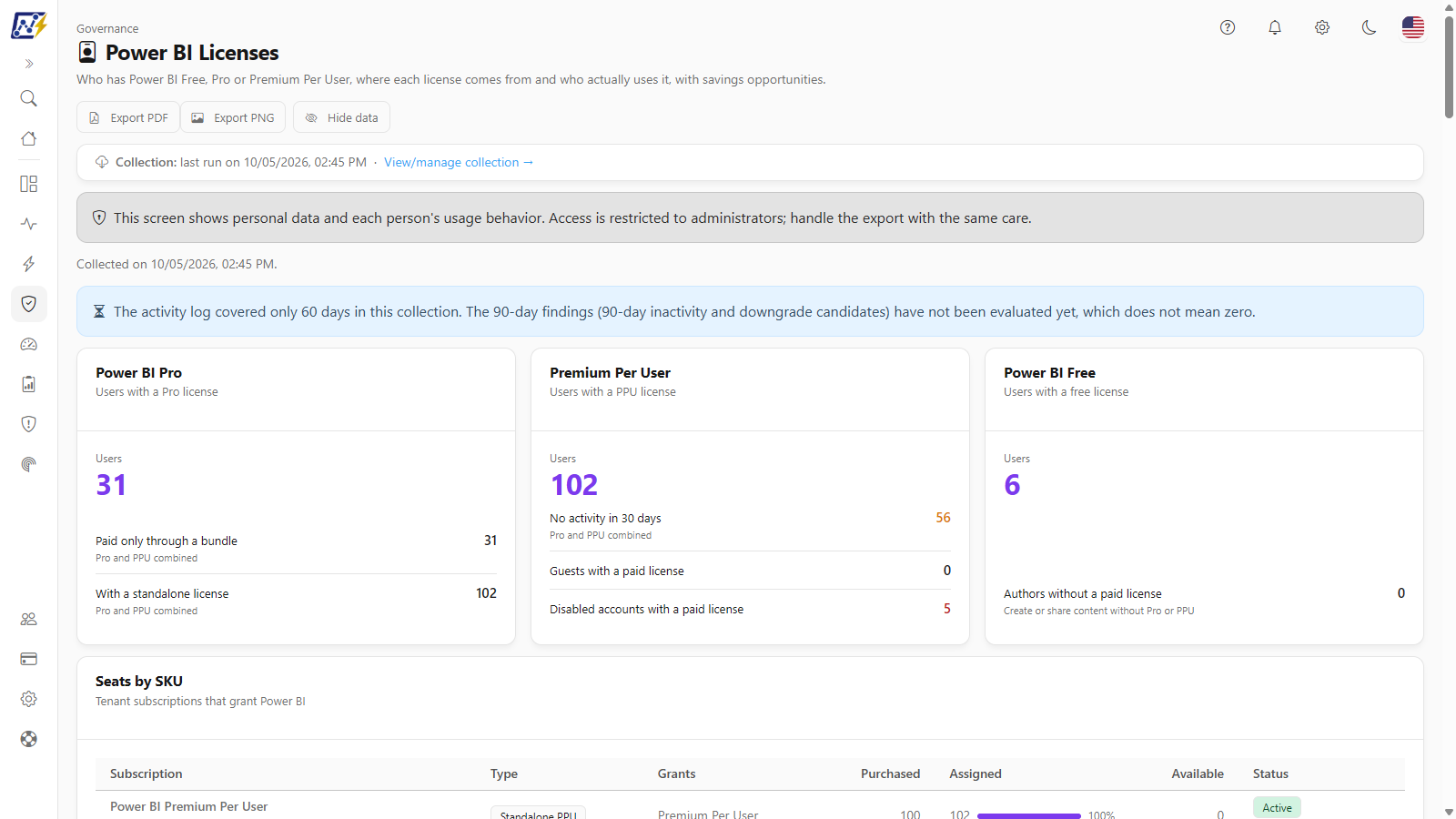
Power BI Licenses: indicators, findings and savings opportunities
What it finds
- Waste: paid licenses on disabled accounts and on people with no activity for 30 or 90 days, standalone Pro for people who already get Pro through a bundle and purchased seats nobody uses.
- Wrong tier: people with Pro who only read content in a capacity (where a Free license is enough), people with PPU who don't use PPU workspaces and people with full PPU when the PPU Add-On would do.
- Assignment risks: assignment errors in Entra ID, guests with a paid license, authors publishing without a paid license and free trials about to expire.
How much you save
Enter your contract prices and Power Monitor calculates the monthly and annual savings of each opportunity. License optimization lists, person by person, who has been inactive in the chosen period and how much each idle license costs, ready to export and validate with managers.
And if your company has many viewers, the Power Embedded estimate shows how much it would cost to move them to embedded reports instead of paying for one license per person.
Track the trend
See, day by day, how many Pro, PPU and Free users there are, how many seats were purchased and assigned and how licenses are distributed across departments. After a cleanup, the effect shows up on the chart.
Why it matters
- Direct, recurring savings: every idle license you remove is money back every month.
- A case for leadership: numbers based on your contract prices, not generic estimates.
- Less risk: guests with paid licenses and disabled accounts with access no longer go unnoticed.
Related pages
- Power BI Licenses: every screen and filter, plus a step-by-step license cleanup
- Cost and Dashboards